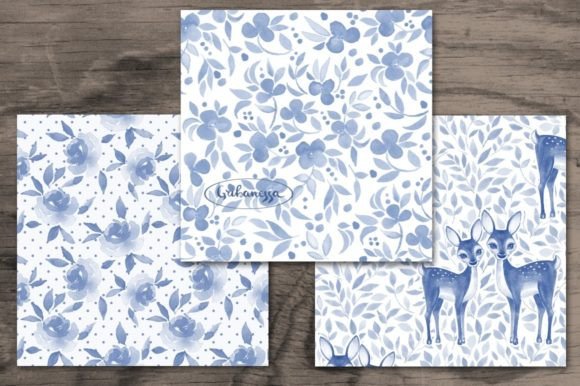
Watercolor Patterns with Leaves
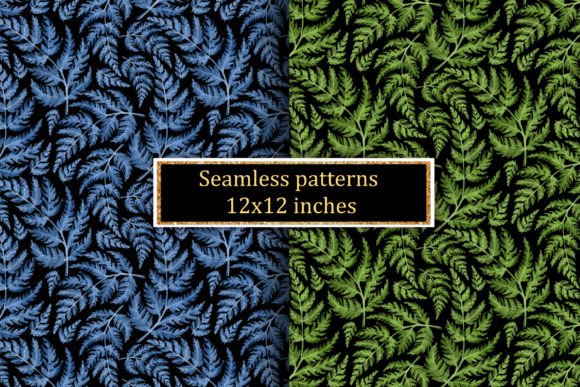
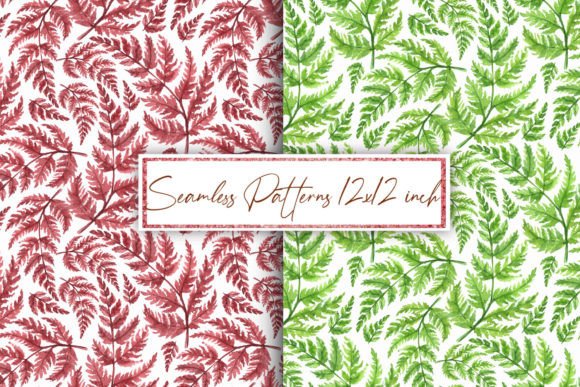
Watercolor Patterns with Leaves are hand-painted, organic digital repeats—soft-edged, translucent, and full of natural movement. These aren’t clipart or vector fillers. They’re scanned watercolor textures layered and tiled thoughtfully, preserving the subtle granulation, bloom, and flow that make real watercolor so expressive. The two included JPG files each contain a seamless pattern at 3600×3600 pixels, 300 dpi—high resolution enough for large-format printing, yet lightweight enough to open quickly in most design apps.
Why this matters—depending on who you are
What feels like a simple background file can serve very different purposes across roles—and what makes it valuable shifts accordingly.
For beginners and hobbyists
If you're just starting with digital scrapbooking or handmade cards, Watercolor Patterns with Leaves offer instant polish without technical pressure. You don’t need to know how to paint or tile patterns manually. Just drag one into Canva, Photoshop, or even PowerPoint, resize it to fit your card base or journal page, and print. The soft greens, muted ochres, and gentle leaf silhouettes read as calm and cohesive—not busy or overwhelming. That’s especially helpful when learning composition or building confidence in color pairing.
For educators and workshop leaders
Teachers using visual arts, design thinking, or early literacy units often need open-ended, non-distracting backdrops. These patterns work well behind student writing prompts, vocabulary cards, or printable storyboards—adding warmth without competing for attention. Because they’re high-resolution JPGs (not layered PSDs), they load reliably on school-issued Chromebooks and tablets. No plugins, no subscriptions, no rendering hiccups during live demos.
For small business owners and makers
Handmade stationery sellers, boutique gift wrap brands, or indie fabric designers look for assets that balance uniqueness and usability. Watercolor Patterns with Leaves stand out from mass-produced geometric repeats—but they’re also versatile enough to adapt across product lines: printed on kraft paper for eco-friendly wrapping, scaled down for envelope liners, or enlarged for textile mockups. Since both files are 300 dpi and fully seamless, you avoid visible joins on fabric swatches or wall decals—even at 24-inch widths.
For freelancers and marketing professionals
Tight deadlines mean little room for trial-and-error. When you need a refined, nature-inspired background for a client’s wellness brand newsletter, wedding suite, or artisanal product launch, these patterns deliver consistency and mood in one click. No hunting through subscription libraries or negotiating usage rights. You get two distinct variations—one perhaps with more negative space and delicate stems, another denser with overlapping foliage—so you can match tone to audience without redesigning from scratch.
What to notice before you use them
These aren’t editable vector files or layered source documents. They’re optimized JPGs—clean, flat, and ready to place. That means:
- No color adjustment inside the file: You’ll adjust hue or contrast in your editing software (e.g., via Hue/Saturation in Photoshop or “Color Filters” in Canva). This gives flexibility but requires basic familiarity with those tools.
- No transparency: The background is white, not transparent. That’s ideal for printing on physical stock but means you’ll need to mask or layer carefully if placing over photos or gradients in digital layouts.
- Seamless tiling is built-in: Each pattern repeats cleanly edge-to-edge. Test it by duplicating the image and aligning copies—you won’t see breaks or mismatched leaves.
Real projects, real uses
Here’s how people actually apply them—no hypotheticals.
- A paper craft blogger used one pattern as a base for a printable botanical planner cover—then added gold foil accents with a heat-embossing tool after printing on cardstock.
- A freelance invitation designer layered the second pattern softly behind handwritten calligraphy, reduced opacity to 15%, and exported as PDF/X-4 for professional letterpress printing.
- An elementary art teacher printed both patterns on 11×17 cardstock, cut them into strips, and used them as tactile collage elements for a “nature textures” unit—no glue required, since the paper itself became part of the artwork.
- A small-batch candle label creator imported the JPG into Illustrator, traced key leaf shapes to create a simplified line-art version, and turned it into a reusable SVG stamp for future packaging.
Does this fit your next step?
Ask yourself:
- Do you need print-ready quality? Yes—if you’re making physical goods, albums, or framed wall art. At 3600×3600 px and 300 dpi, these scale cleanly up to 12×12 inches without pixelation.
- Are you prioritizing ease over control? Yes—if you want something beautiful and functional without mastering pattern-making software. These skip the learning curve.
- Is commercial use part of your plan? Yes—these are licensed for unlimited personal and commercial use, including resale on physical products like greeting cards, fabric, or printed home décor.
- Do you need animation, interactivity, or multi-layer editing? No—those require formats like PNG sequences, GIFs, or layered PSDs. These JPGs are purpose-built for still, printable, or static digital applications.
They won’t replace custom illustration or generative AI tools for highly branded campaigns. But for grounded, human-made texture—where authenticity and quiet elegance matter more than trend-chasing—they hold lasting value. Whether you’re sketching a concept on napkin paper or prepping files for offset printing, Watercolor Patterns with Leaves meet you where you are: not as a shortcut, but as a thoughtful starting point.
Thank you. Good luck in your work.
Gribanessa.